Creo Simulate Intensive
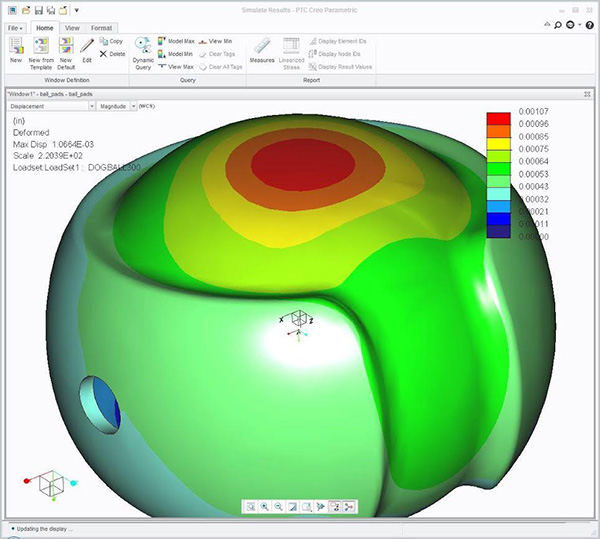
Creo Simulate Training is designed for new users who want to test, validate, and optimize Creo models. Creo Simulate enables you to simulate structural and thermal loads on products. You will also complete comprehensive, hands-on lab exercises that simulate realistic analysis and design optimization activities. Advanced topics such as combined mechanical and thermal analysis techniques are also covered. The course will cover all the modules of Creo Simulate in detail with an emphasis on your specific interests, as the instructor likes to help each individual separately. Participants will learn to calculate stresses, vibrations, and deformation of parts, as well as temperatures and heat flow, and to perform optimization studies. The end result for a participant will be to reduce design time by providing concurrent simulation during the design process. Like all of our workshops, class size is small to maximize each student’s time with the instructor.
- Discuss the difference between ANSYS Workbench, Cosmos with Creo Simulate.
- Learn about the new functions of the most recent version of Creo Simulate.
- Learn to solve nonlinear large displacement, pre-stress, dynamic, and transient thermal analysis.
- Discuss the strengths and weaknesses of Creo Simulate compared to other FEA tools on the market.
- Discuss reduced design time by providing concurrent simulation during the design process.
- Discuss how to set up a model for solving beams.
- Discuss solving for sheet metal products such as battery contacts or brackets.
- Learn to simulate advanced materials behaviors such as hyper-elasticity, anisotropic, orthotropic, and composite laminates.
- Learn support for advanced modeling entities such as mass/spring idealization, pre-loaded bolts, and friction on assembly contact points.
- Go over common interface, workflows, and user concepts as in core design areas of Creo.
- Learn to reduce product performance uncertainty by simulating complex systems accurately.
- Discuss solving for Assemblies.
- Discuss solving for weldments.
- Discuss the fringe plot of Von Mises stress analysis and the FEA solutions for optimizing a solution for strength, cost, and robustness.
Both courses are offered on weekends or weekdays. Design-Engine develops all of our own training material in HTML for participants to access during and after the classes. These tutorials can be customized for specific industries and licensed and utilized within a corporate intranet. Call to inquire if you don’t see this course offered on our schedule: 312.226.8339. We also offer custom Creo Simulate workshops to fit your specific needs. Contact your DESIGN-ENGINE account manager for on-site estimates or any other specific information.
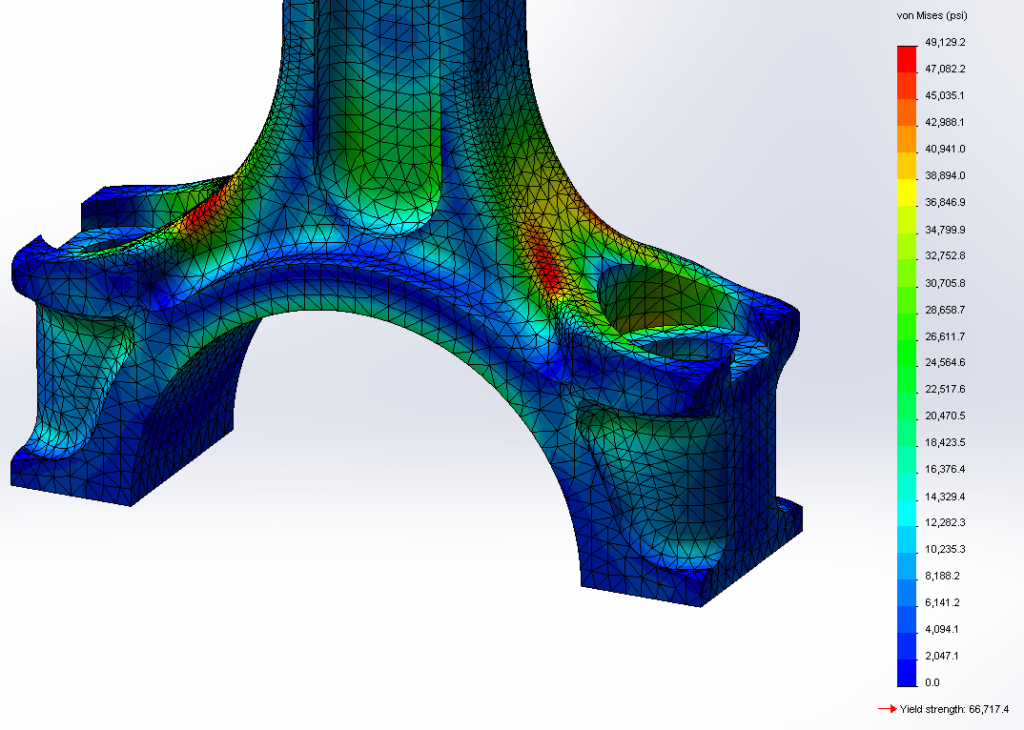
Introduction to Finite Element Analysis using the latest release of Creo Simulate. This Creo Simulate FEA training course is developed for Engineers who want to become proficient with Creo Simulate in just one week. We help you learn Creo Simulate, not read to you from an exercise or book. As with all Design-Engine classes, participants keep the training material login and password for life as that data updates regularly.